Product Tour

See CheckMasterAI
in Action

Real screenshots from a live deployment. Explore the dashboard, inspection gallery, mobile staff app, and multi-branch management.

Analytics Dashboard

Full operational visibility across every branch

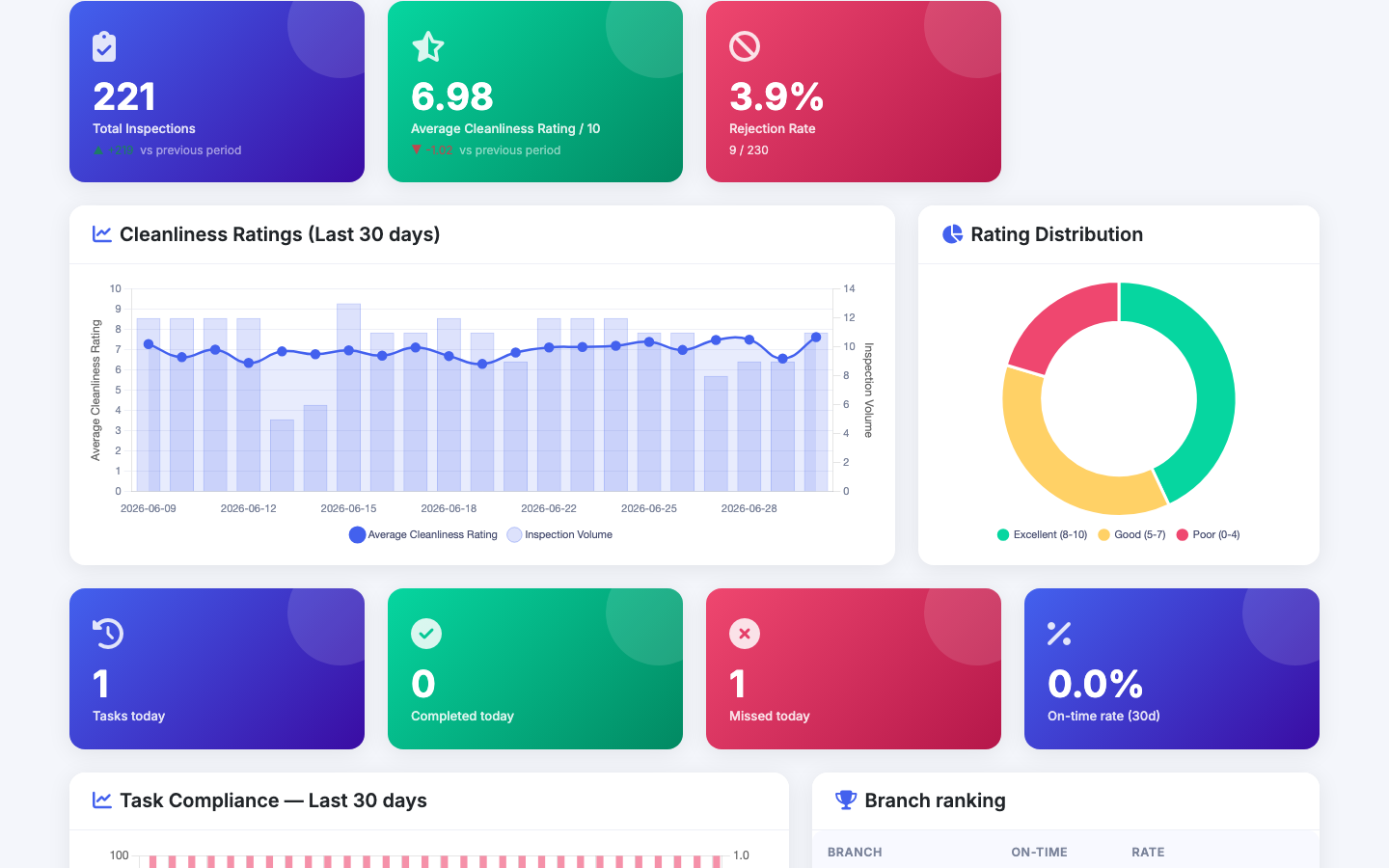
Managers get KPI cards, score trends, branch rankings, and task compliance — all live, all in one view.

01

221 inspections tracked

Total inspections across all branches with period-over-period comparison

02

AI score trend chart

Average cleanliness score plotted daily over 7, 30, or 90 days

03

Branch ranking

See which branches lead and which need attention, at a glance

04

Task compliance rate

Completed vs. missed randomised inspection tasks, per branch
checkmasterai.com/dashboard
CheckMasterAI analytics dashboard — KPI cards, score trend chart, task compliance metrics and branch ranking table
Inspection Gallery

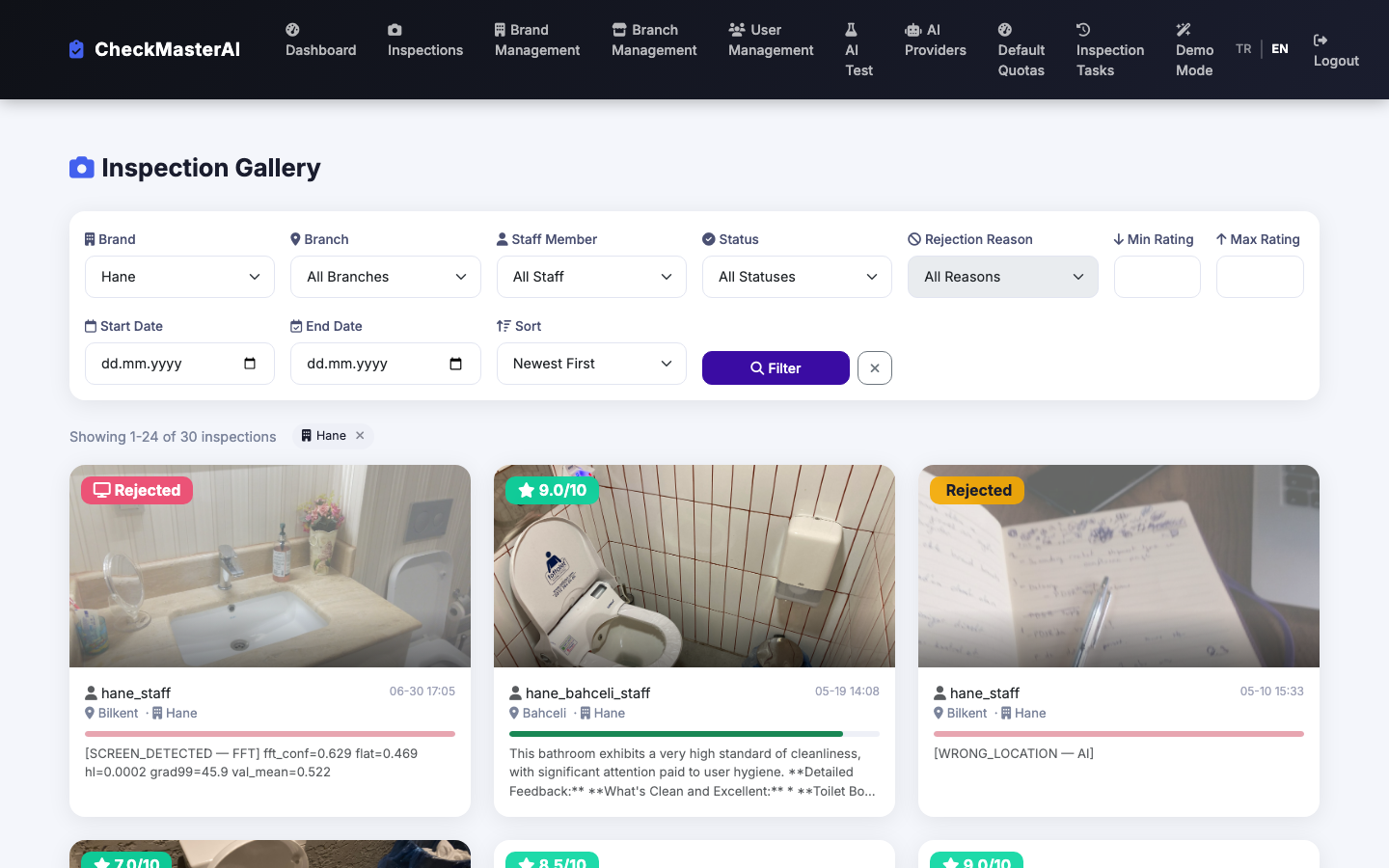
AI-rated inspections, filtered and searchable in seconds

Every photo gets an AI-generated 0–10 score and written feedback. Screen-capture fraud is detected and flagged automatically.

  • 0–10 AI score visible on every inspection card
  • Filter by brand, branch, staff, date, and score range
  • Fraud badge: screen-capture attempts are blocked and logged
  • Written AI feedback shown on every rated inspection
checkmasterai.com/inspections
Inspection gallery showing AI-rated cards with scores 8.7/10 and 7.7/10, a rejected screen-capture badge, and filter controls
Mobile Staff App

Staff snap a photo — AI does the rest

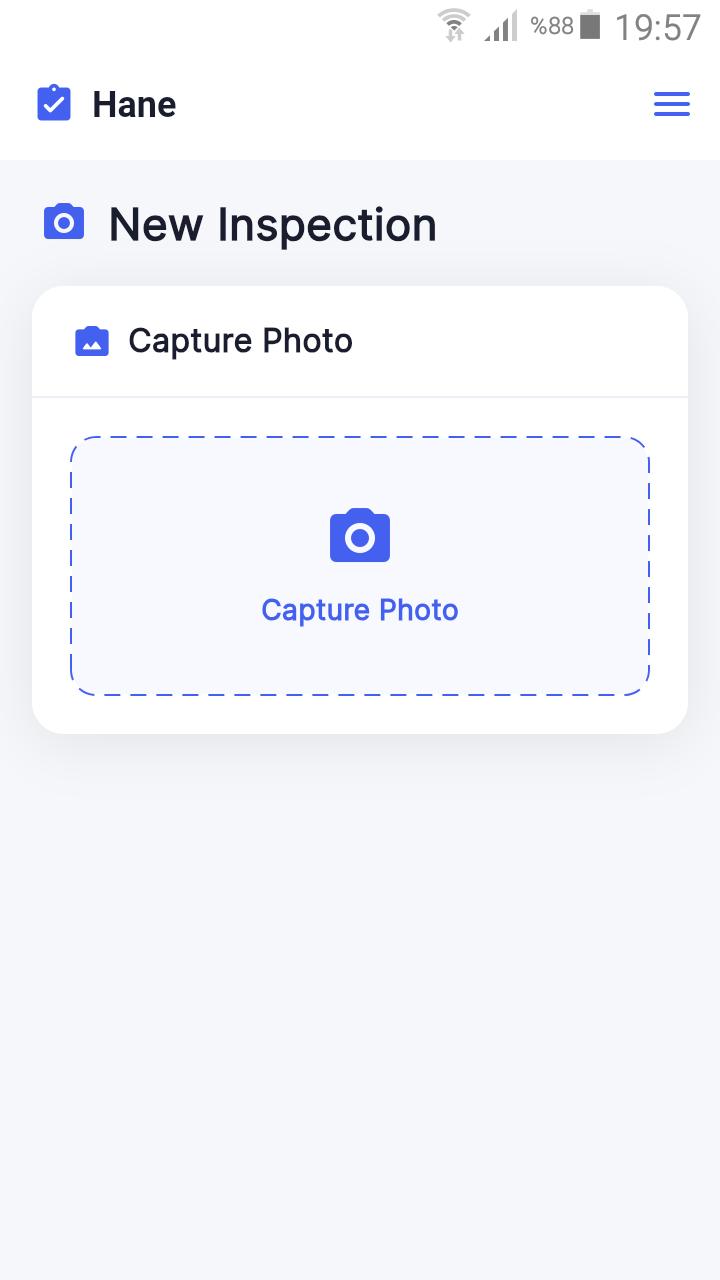
The mobile app is the staff's only tool. Capture, submit, get AI feedback — no training required, no paperwork.

  • Camera-only capture — gallery uploads are intentionally blocked
  • Instant AI scoring and written feedback delivered on-device
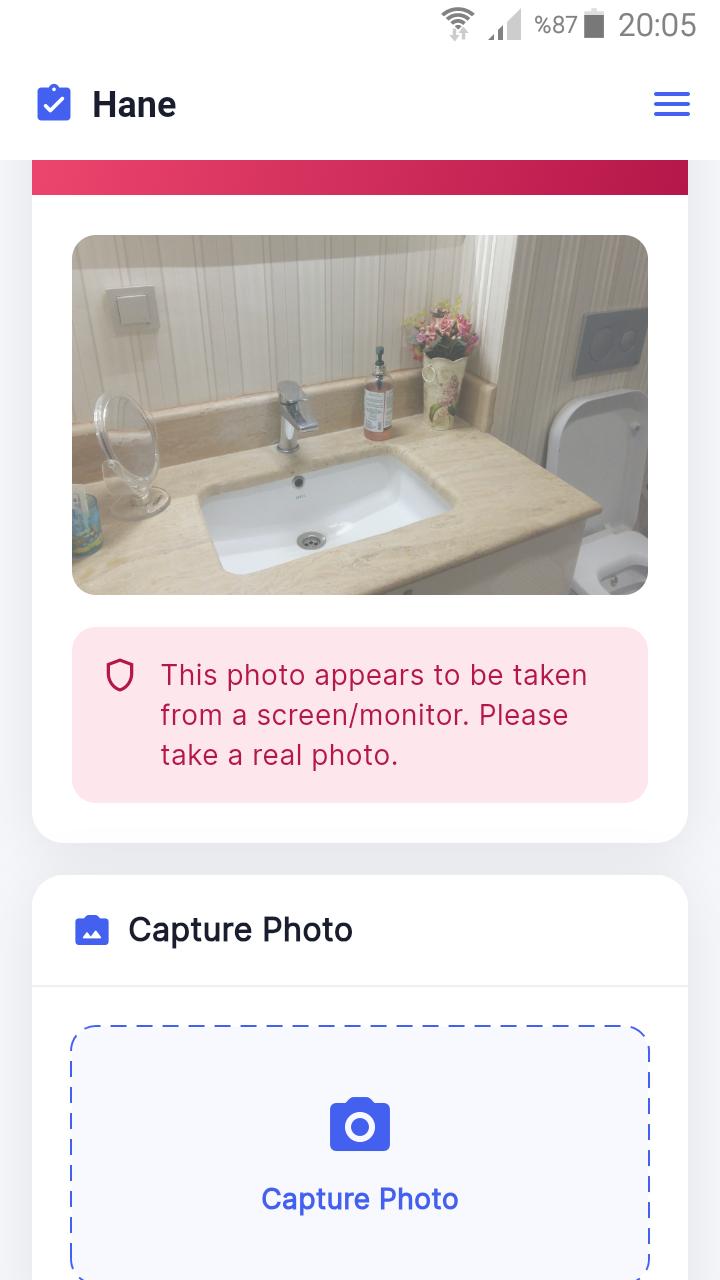
  • Anti-cheat: FFT + AI dual-layer screen photo detection
  • Available on Android and iOS
CheckMasterAI mobile app — New Inspection camera capture screen

New inspection capture

CheckMasterAI mobile app — anti-cheat screen-capture fraud detection alert

Anti-cheat in action

User Management

Role-based access for every level of your organization

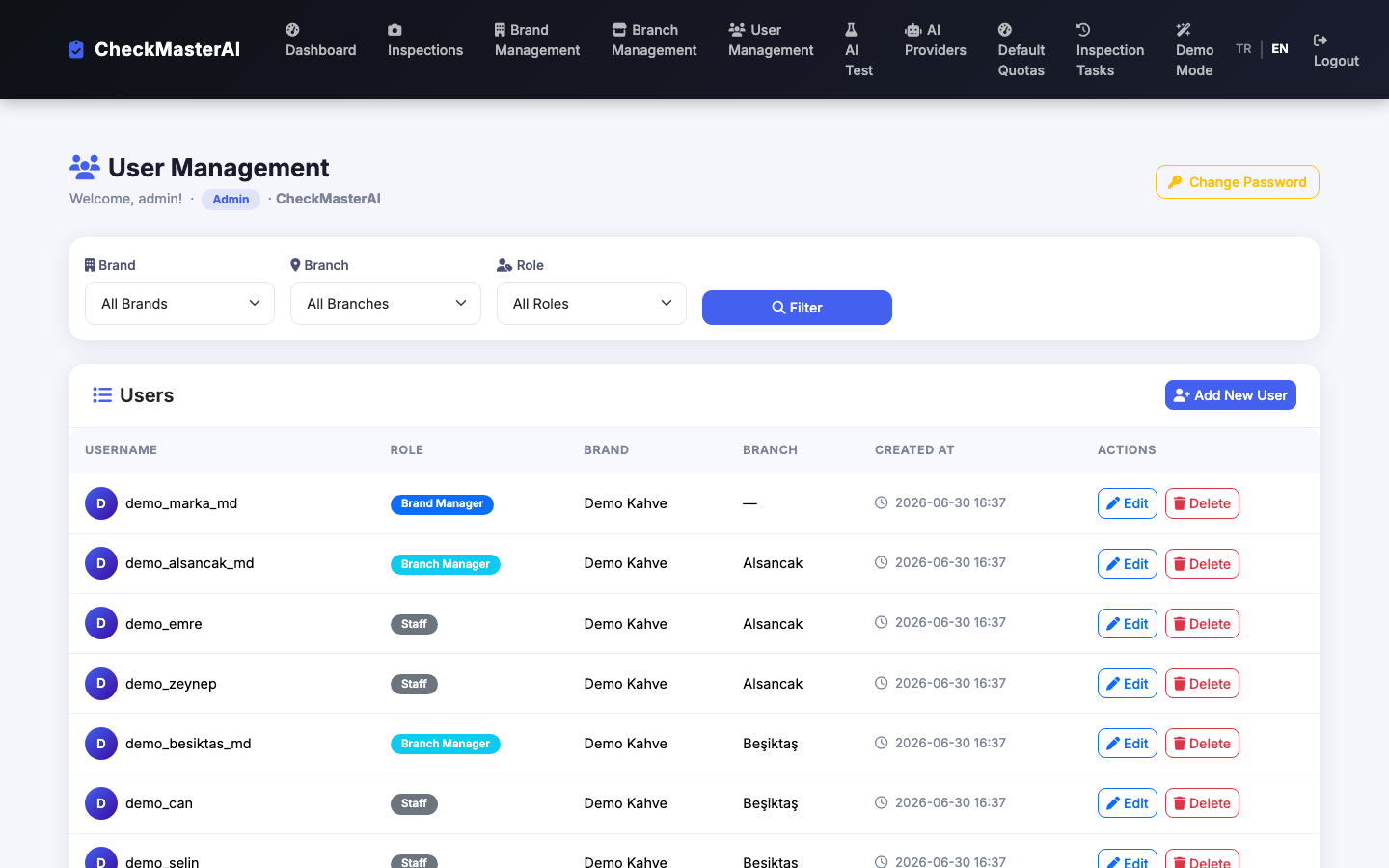
From a single admin to hundreds of staff across dozens of branches — every user sees exactly what they need, nothing more.

  • 4 roles: Admin, Brand Manager, Branch Manager, Staff
  • Unlimited brands, branches, and user accounts
  • Managers see only their assigned brand or branch scope
  • Central admin controls all accounts from a single panel
checkmasterai.com/user_management
User management panel listing staff with role badges (Brand Manager, Branch Manager, Staff) and brand/branch assignments

Ready to see it with your own data?

Try the live demo with one click, or request a personalized walkthrough for your team.